EHR Screen-Based Automation vs API Integration for Small Practices
Small practices gain automation without API budgets through screen-based agents.

U.S. healthcare administration now costs more than $1 trillion a year, according to HealthAdminBench, a 2026 research effort from Stanford and Kinetic Systems. That figure isn't an abstraction. It's built from something more granular and more personal: physicians spending 1.5 to 2 hours on paperwork for every hour spent with a patient, which compounds to 15 to 20 hours a week lost to forms, portals, and re-entry. This piece asks a narrow, practical question inside that larger mess: given the constraints small practices actually operate under, no IT department, no integration budget, no six-month implementation runway, what does a realistic path to automation look like?
The scale of the burden makes the question worth asking. The same Freed survey found that 57% of clinicians lose more than 44 hours a month to documentation alone, more than a full work week gone to charting instead of care. Among small-practice clinicians specifically, 43% say the workload is far worse than what they expected when they entered the field. That gap between expectation and reality isn't a morale problem to be solved with better scheduling. It's a structural one, and it splits cleanly along a line most people don't think about until they hit it: large health systems can fund IT departments, EHR customization projects, and vendor integration contracts. Independent and small practices generally cannot. What follows is an account of the two paths available to close that gap, and why one of them is far more available to the practices that need it most.
What API integration actually requires, and why those requirements exclude most small practices
In principle, API integration is the clean answer. It connects the EHR to scheduling tools, billing systems, patient communication platforms, and intake software without anyone re-typing the same patient data four times. It automates handoffs. It can trigger real-time clinical decision support, the kind built on standards like CDS Hooks, the moment a physician opens a chart or writes an order.
Federal policy has been pushing hard in this direction. The 21st Century Cures Act requires all ONC-certified EHRs, so-called Certified Electronic Health Record Technology, to support FHIR-based APIs. The ONC's Information Blocking Rules penalize vendors who put up unnecessary walls around patient data. And starting January 1, 2027, payers face a further mandate: FHIR-based APIs for prior authorization, patient access, and provider directory functions, meant to make electronic PA submission and status tracking automatic rather than manual.
Mandating that an API exists is not the same as making it usable by a two-physician family practice with no one on staff who writes code. Actually standing up an integration takes developer time to build and maintain the connector, cooperation from the EHR vendor (often gated behind a paid API tier), ongoing maintenance whenever either system pushes an update, and staff hours to specify what's needed and test that it works. Many of the EHRs still running in small practices were never built API-first to begin with. They run on-premises, move data in overnight batch files instead of live exchange, and treat any customization as a risk to functionality that already works well enough not to touch.
A recent HIMSS report finds over 80% of healthcare organizations list interoperability as a digital strategy priority. Naming a priority and having the budget to execute it are two different things, and for most small practices, that gap is the whole story. The practical choice usually comes down to buying a platform with pre-built connectors, which limits which systems the practice can run, or funding custom development, which most practices simply can't afford. No-code connector platforms like Keragon have narrowed the engineering burden considerably, with 300-plus pre-built integrations across EHRs including Athenahealth, DrChrono, Elation Health, Healthie, and ModMed. But the practice's EHR still has to be on that supported list, and someone still has to manage the platform once it's running.
How screen-based agents interact with software, and why they don't need API access to do it
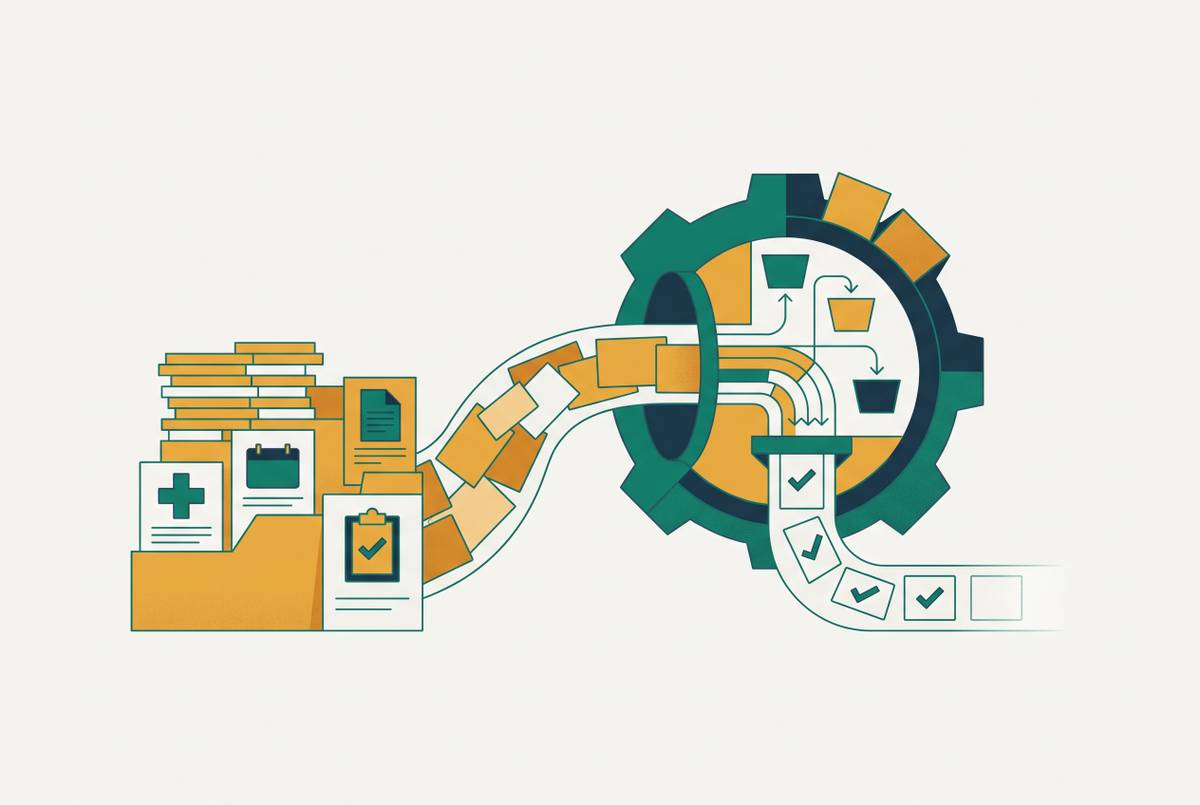
Screen-based automation works on a completely different premise. Instead of asking software to expose a structured data connection, these agents, often called computer-use agents, perceive an interface the way a person does: they read the screen, then click, type, and navigate accordingly. No API. No integration layer. No changes to the underlying software at all.
That's the real distinction between the two approaches. API integration requires the target system to expose a data endpoint deliberately built for machines to talk to. Screen-based agents require only what any staff member already has: a login and a visible interface. Recent research on multimodal large language models, including systems described in recent computer-use agent research from 2025, shows agents performing pixel-level operations directly on the interface rather than depending on the page's HTML or accessibility tree underneath it. OpenAI's computer-use agent reads raw screenshots through GPT-4o's vision capabilities; Anthropic's Claude runs a defined toolset in an agentic loop. Both operate purely on the visible surface of whatever software they're pointed at (though naturally, both still need their own API access to the underlying AI model itself).
For a small practice, that distinction changes what's reachable. The agent works with whatever EHR the practice already has, regardless of whether that vendor ever built an API. It works inside payer portals, which almost never grant small practices any API access at all. It works with fax systems and clearinghouses and any other web-based tool sitting in the workflow, because all of those are visible interfaces too. Nothing about the existing software has to change, and there's no vendor negotiation or developer contract standing between the practice and go-live. Researchers tracking this space, including the LiteCUA work, point to a hybrid direction ahead: agents that combine API calls where they're available with screen-based navigation everywhere else. For now, though, screen-based operation remains the more universally reachable option, and because the agent only needs a login, deployment timelines are considerably shorter than a typical API integration project.
Where screen-based agents perform well, and where the reliability gaps still sit
HealthAdminBench, built by Stanford University, Kinetic Systems, and Stanford Health Care and published in April 2026, is the first benchmark to test computer-use agents specifically on realistic healthcare administrative work rather than generic office tasks. It covers four GUI environments, an EHR, two payer portals, and a fax system, spanning 135 expert-defined tasks across prior authorization, appeals and denials management, and durable medical equipment ordering, evaluated across 1,698 distinct points.
The results tell a split story. The best-performing agent, Claude Opus 4.6 running as a computer-use agent, completed full end-to-end tasks successfully only 36.3% of the time. Yet GPT-5.4's computer-use agent hit an 82.8% success rate on individual subtasks, the step-by-step actions within a task. That's a wide gap between doing the pieces right and finishing the job. Agents tend to click the correct button, fill the correct field, and read the correct value. Where they fall down is chaining those steps together across multiple systems, particularly around document handling and moving data from one platform to another without losing or garbling it.
The research traces this to failures in workflow coordination and document handling across systems, not to any deeper reasoning failure. That distinction matters. An 82.8% subtask success rate means the agent is getting most of the individual work right; the shortfall is workflow coordination, an engineering and training problem rather than some hard ceiling on what these systems can do. The benchmark offers evidence for that read directly: fine-tuning an open-source model on just 100 tasks produced a 23-point absolute jump in success on tasks it hadn't seen before, enough to beat the best closed-source agent by 14 points. Domain-specific training closes a meaningful share of that gap fast.
Where agents already earn their keep is exactly where small practices hurt the most: prior authorization, since payer portals offer no API access to most practices anyway, appeals and denials management, and scheduling that spans more than one system. Worth saying plainly, though: HealthAdminBench measures raw frontier models operating without guardrails. Production deployments built with domain-specific tuning and a human checking key decisions look different from the benchmark's numbers, usually better, because the failure modes the benchmark catches are precisely the ones a checkpoint is built to catch.
The workflows where screen-based automation delivers the most immediate value for small practices
Prior authorization is the clearest case. Payer portals almost never offer API access to a small practice, full stop. A screen-based agent can log into that portal, fill out the request, and track its status exactly the way a staff member would, with no integration agreement with the payer required at any point.
Claims and denials management follows close behind, and the money involved is not small. Denials cost hospitals tens of billions of dollars a year industry-wide, and manual rework on a single denied claim averages tens of dollars, according to notablehealth.com's notablehealth.com's 2025 revenue cycle management data. The 2025 State of Claims survey found a majority of providers reporting that claim errors are rising, and a substantial share pointing to inaccurate or incomplete patient data at intake as the driver. A screen-based agent can read a denial letter, spot the missing documentation, and route a corrected appeal, working across the EHR and the payer portal in the same sequence, without either system offering an API to lean on.
Scheduling and cancellation recovery round out the list. An agent can work the scheduling module inside whatever EHR interface the practice runs, fill cancelled slots, and process new-patient referrals, all without the EHR vendor building a single line of integration code.
The real differentiator, though, sits underneath all three examples. An API integration connects two systems at a time. A screen-based agent operates across every system in a workflow at once, the EHR, the payer portal, the fax line, the clearinghouse, inside one automated sequence. Automating revenue cycle processes industry-wide could save healthcare billions a year, and small practices currently capture almost none of that, because the API-based tools built to deliver those savings were never built with their access constraints in mind. What screen-based agents replace, more than anything else, is the swivel chair: a staff member turning from one screen to another, retyping the same information because the two systems in front of them were never built to speak to each other.
What API integration still does better, and when it's the right choice
None of this makes API integration obsolete. When two systems need to stay continuously synchronized, a patient portal reflecting live appointment slots, for instance, an API connection holds up better than an agent polling a screen for changes. Bulk, structured data work, population health reporting, analytics pipelines pulling thousands of records, is a job for an API returning clean data, not for an agent reading screens one at a time. And real-time clinical decision support triggered at the point of care needs the low latency that a direct API connection can deliver.
Where a practice already runs a modern, cloud-based EHR with an active developer program, and where that EHR sits on a connector library like Keragon's, pre-built API connectors can be genuinely cost-effective for a specific, high-volume, point-to-point job. API integration isn't a lesser option across the board. It's the better option for a defined set of use cases where the surrounding infrastructure already exists to support it. For most of the day-to-day administrative load a small practice actually carries, that infrastructure simply isn't there yet, and the field's own direction points toward hybrid agents anyway, combining API calls for structured data with screen navigation for everything else. The binary choice between the two is already starting to dissolve for practices with the resources to build that way.
What small practices should actually evaluate when choosing between these approaches
Start with whether the EHR's API is something the practice can actually use. FHIR support is mandated for certified EHRs under the 21st Century Cures Act, but that mandate says nothing about whether a given subscription tier includes API access, or whether the vendor grants it without months of negotiation first.
Next, map what the workflow actually touches. If automation only needs to reach inside the EHR, an API connector may cover it. If the workflow runs through payer portals, fax machines, or clearinghouses, and for most administrative work, it does, a screen-based agent is almost certainly the only realistic route, since those outside systems don't offer small practices API access at all.
Timeline and tolerance for change matter just as much. API projects involve scoping, development, and testing across an extended timeline. Screen-based agents typically reach go-live considerably faster, needing nothing more than a login, and because they operate the practice's existing systems rather than replacing them, staff don't have to learn a new tool. API integrations, by contrast, often reshape the workflow itself and demand retraining.
Maintenance is the quieter cost that shows up later. An API integration breaks the moment either connected system pushes an update, and someone has to notice and fix it. A screen-based agent adapts the way a staff member would when a payer portal redesigns its layout overnight, by reading what's actually on the screen rather than depending on a connection that assumed the layout would stay fixed.
Measure return on investment against the specific bottleneck being solved, not a general promise. Prior authorization turnaround time, denial rate, cancellation recovery rate, scheduling fill rate: these are the numbers that tell a practice whether either approach is working, and they should be tracked regardless of which path gets chosen.
Security sits above all of it, non-negotiable for either approach. HIPAA compliance is the mandatory floor the moment any protected health information touches an automated system. SOC 2 Type II certification remains voluntary, but it's become the market's expected standard, and any vendor handling PHI should already be pursuing it. That's the first filter to apply to any vendor, before cost, before speed, before anything else on this list.
For most small practices, screen-based agents aren't a fallback chosen for lack of a better option. They're the more complete answer to the multi-system workflows, prior auth, denials, scheduling across platforms that actually generate the administrative weight practices carry, reachable without the IT department and integration budget that most small practices don't have and have no real path to building. Novoflow, for instance, deploys agents that handle those workflows across EHRs and payer portals by operating existing systems directly, without requiring a single integration.